
Watchman Disk Usage Notification HelpOverview - Prerequisites - Help - Settings - Groups - Computers - Docs - GetGroups - GetComputers - Notify - Delete - Troubleshooting - FAQ - RESOURCES Overview Precursor Systems Watchman Disk Usage Notification is a tool to interact with Watchman Monitoring via its API and send out notifications to users whose disk usage passes a certain threshold and provide instructions on how to mitigate and recover space. The recommended way to use this FileMaker database would be to serve it up from FileMaker Server and script the server to run the Refresh and EMail script once a day. 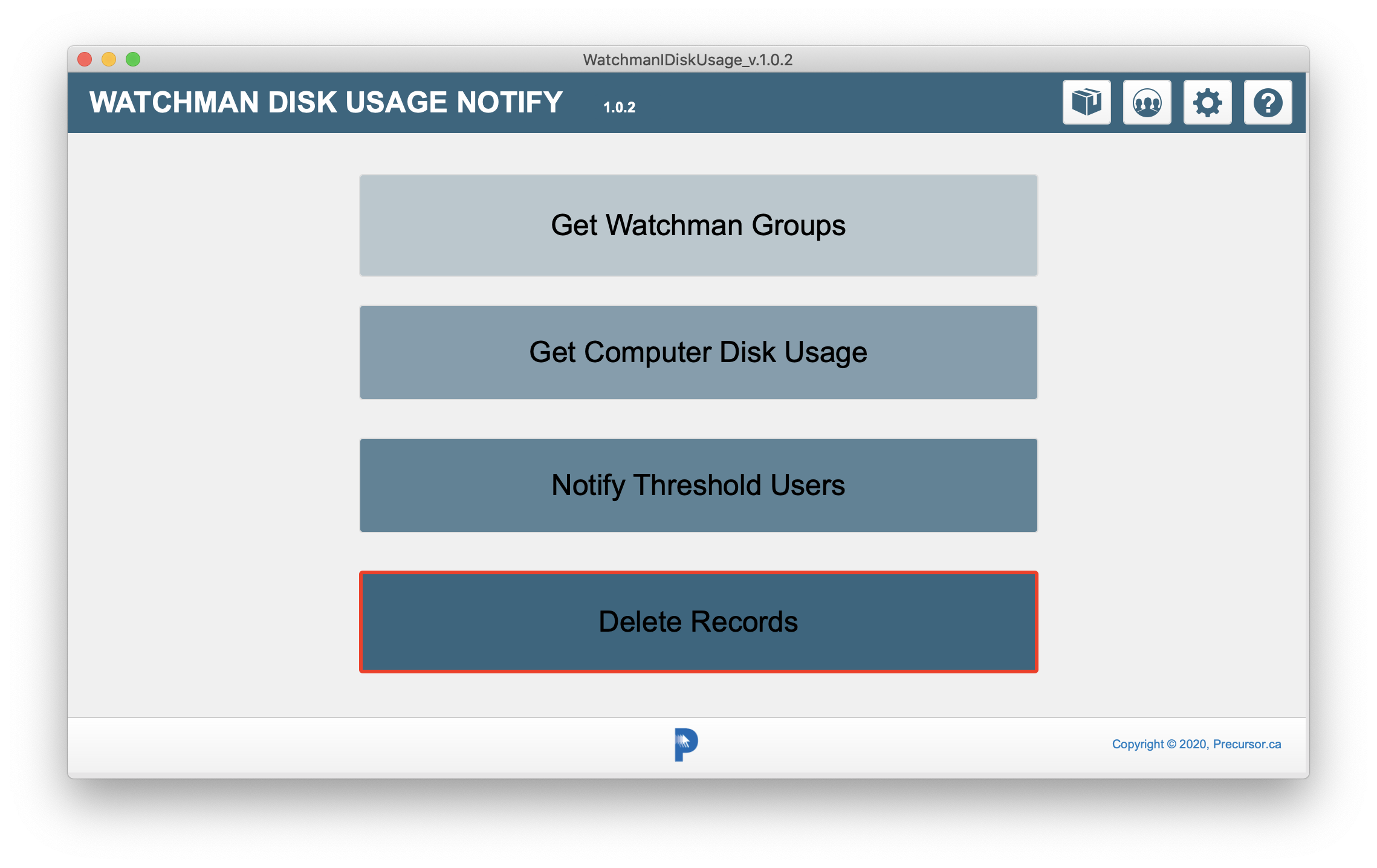

Prerequisites In addition to having FileMaker software and a Watchman Monitoring account with an API key, it is assumed that you have specified Reference Email addresses for each computer in Watchman - or at least a the Group Reference Email. This feature is not on by default in Watchman so you have to turn it on first. See: https://support.watchmanmonitoring.com/hc/en-us/articles/360012901731
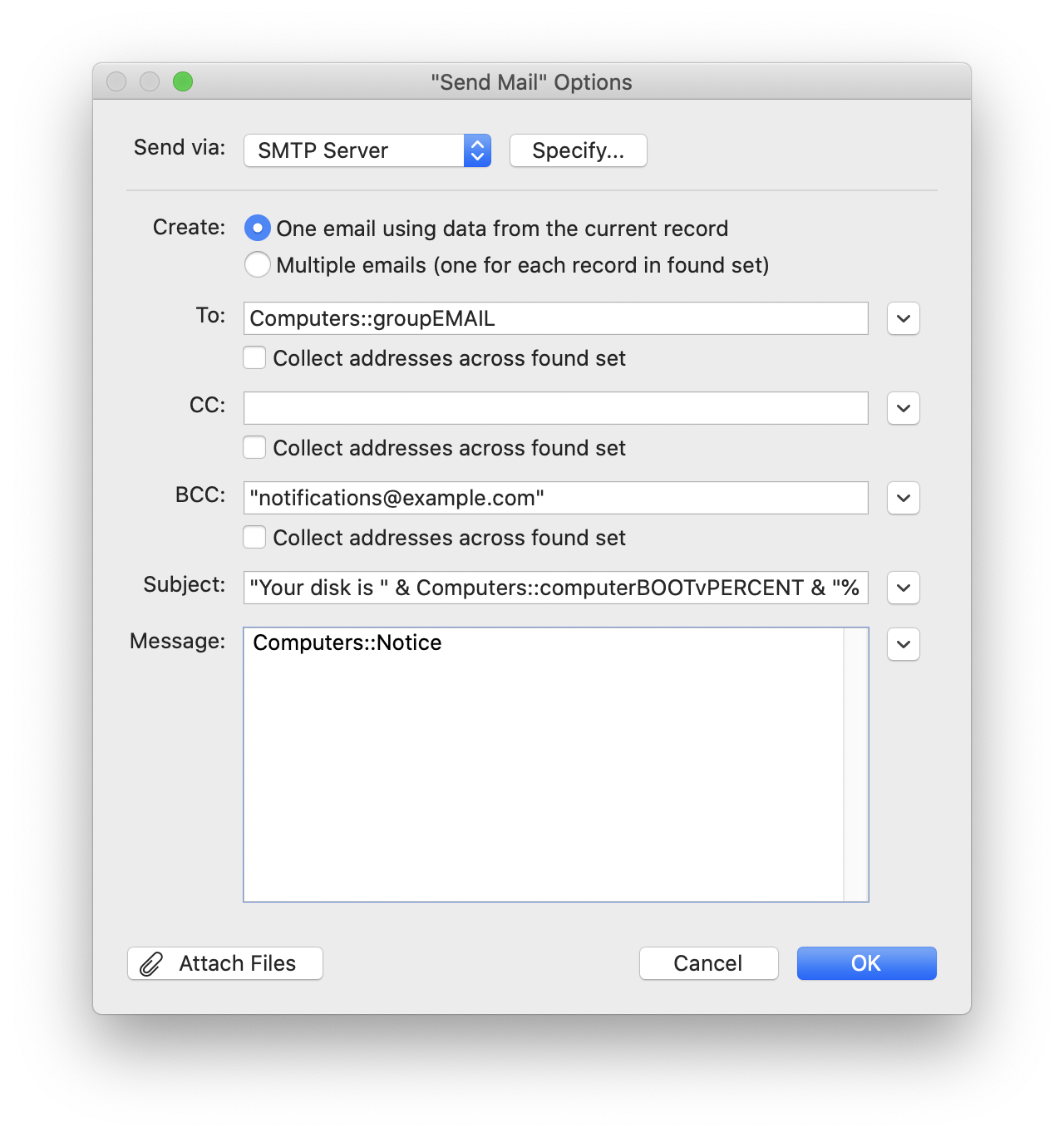
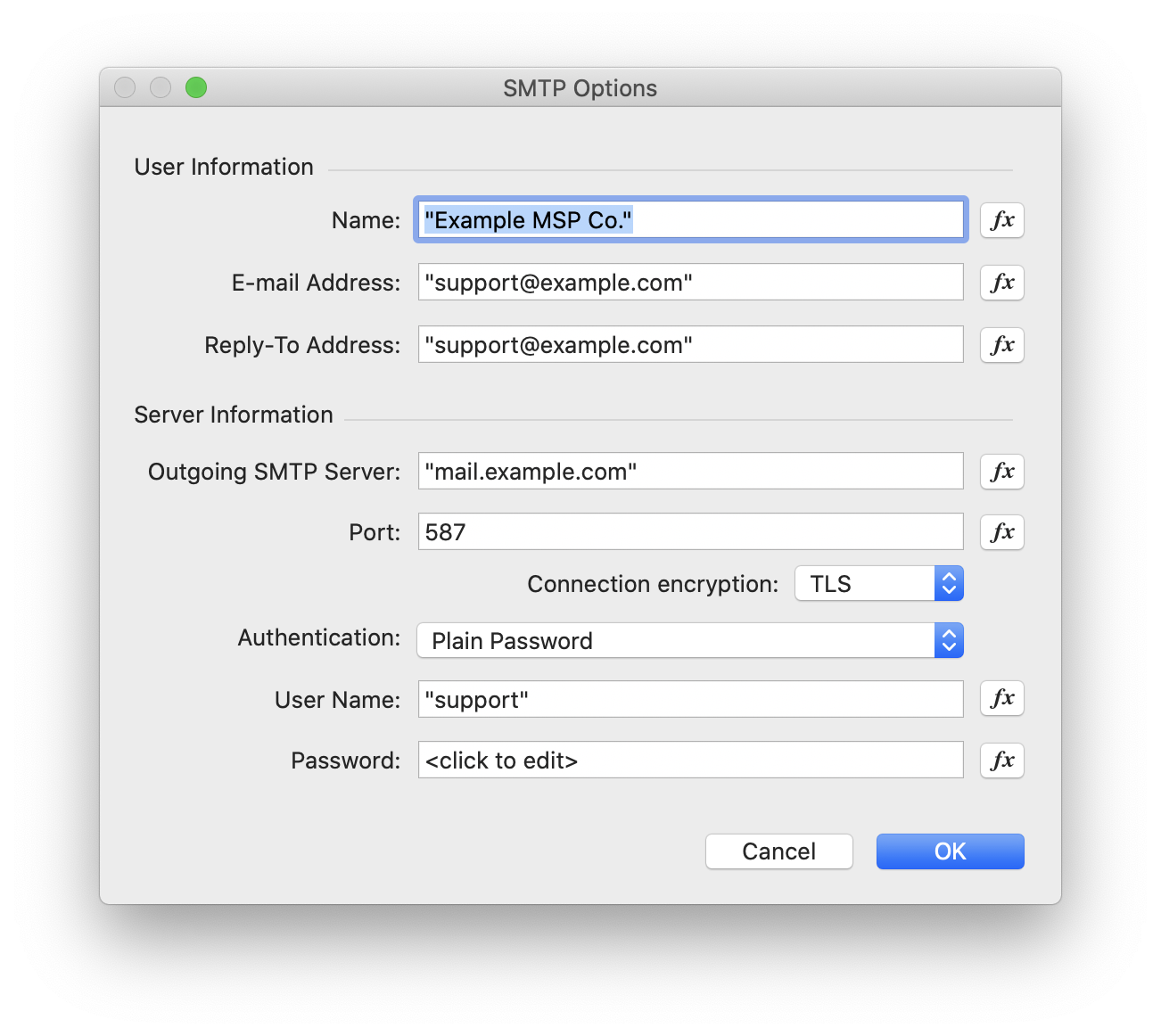
You will have to customize the Send Mail Options and the SMTP Options settings for Sending Mail in the script Email Notices. You will have to do this for both the Computer_Reference_Email script step and the Group_Reference_Email script step. The following diagrams may help:
Help  Brings you to this Help page.
Settings  Before you begin you will need to add your Watchman subdomain and API key into the settings before you begin. 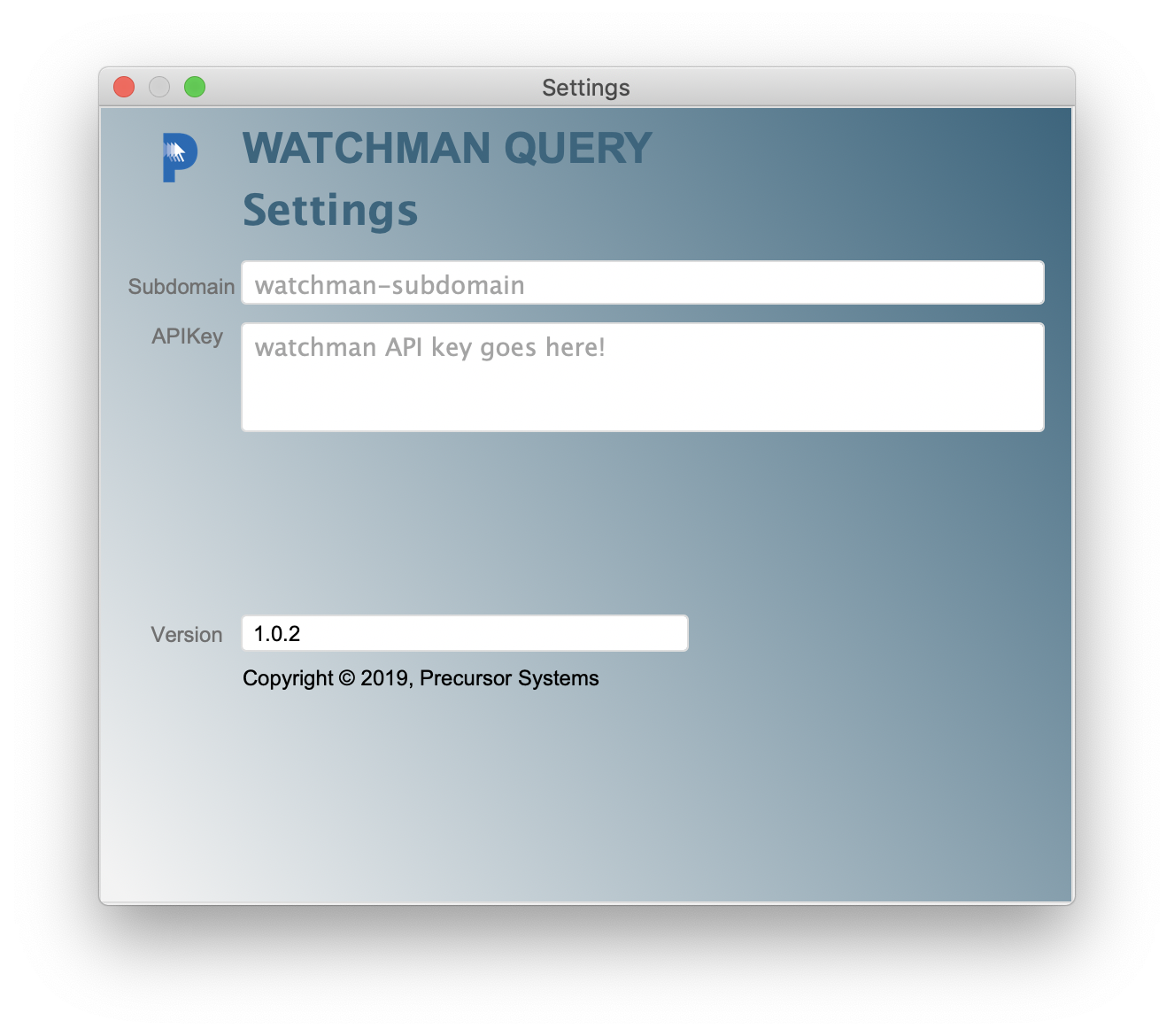
Groups 
Brings you to the Groups query layout to retrieve your Watchman Group names and UIDs for use in the Warnings script.
Computers 
Brings you to the Computers layout.
API Docs 
Takes you to the Watchman API documentation page.
Get Groups  Performs the Get Groups script.
Get Computers  Gets all the computer records using your list of groups.
Notify Disk Usage  For every computer over a threshold of (deafult) 90% disk usage an email will be to the Watchman Computer Reference email address, or if there is none, the Watchman Group Reference email address.
Delete Records 
This will clear the results and take you back to the Home page to start again.
Troubleshooting 1 Make sure you have filled out all the various Settings dialog boxes with the appropirate subdomain and API key you generated in Watchman.
Frequently Asked Questions Q: What is the "Threshold" and how do I change it? A: The threshold for sending out email notifications is 90% boot disk usage. It can be edited in the FileMaker Function:
If [ Computers::computerBOOTvPERCENT ≥ "90" ]
Q: How can I alter the "notification" text. A: The notification text is set in the Set Field script step:
Q: Does Watchman Disk Usage Notification require FileMaker Pro? A: Yes. You could use the 45 day trial version, but if you are member of the Apple Consultants Network your member benefits include an NFR copy. You also get an NFR by attending FileMaker DevCon, or by becoming a FileMaker Developer or Reseller. |

Overview - Prerequisites - Help - Settings - Groups - Computers - Docs - GetGroups - GetComputers - Notify - Delete - Troubleshooting - FAQ - RESOURCES
| Mastodon | YouTube | Github | Status |
|
|
|
| Copyright © 2014-26, Precursor.ca, Inc. |


 In the
 In the